By the end of this post, your TrueNAS will tell you the moment a pool degrades, a disk starts dying or a cloud sync fails, wherever you actually hang out: Slack, Discord, Telegram, email, all of them at once. Five minutes, one webhook, zero scripts.
A while back, a hard drive in my own TrueNAS died, and I only found out because the box was screaming at full speed due to the disk dropping out of the pool. TrueNAS had been trying to tell me the whole time but I just never gave it anywhere useful to say it.
- ✓TrueNAS alerting has no generic webhook service. Its only webhook option is the Slack type, which is really just a webhook URL field in disguise, and it will happily POST to anything.
- ✓Relaye turns that one webhook trigger into native notifications on Slack, Discord, Telegram and email, each with its own template.
- ✓Setup is four steps and a test alert or two.
How TrueNAS alerting works today
TrueNAS SCALE ships a genuinely comprehensive alerting engine. Open the notifications bell, hit the settings gear, choose Alert Settings, and you'll find dozens of categories you can tune: pool status not healthy, pool space crossing 85, 90 and 95 percent, SMART self-tests failing, cloud sync tasks failing, UPS on battery, certificates about to expire. The system knows a lot. The question is where it's allowed to say it.
Delivery is handled by Alert Services: add one, pick a type and a severity level, and TrueNAS sends everything at that level and above. The list covers AWS SNS, E-Mail, InfluxDB, Mattermost, OpsGenie, PagerDuty, Slack, SNMP Trap, Telegram and VictorOps.
What is missing is support for other notification channels like generic webhooks, discord and others. The request for a generic webhook type sits on the TrueNAS roadmap, and each native service means exactly one destination, configured inside TrueNAS, reconfigured inside TrueNAS whenever you change your mind.
What you need
- A TrueNAS SCALE system, any recent release
- A Relaye account (there's a free Hobby plan)
- At least one place for alerts to land: a Slack workspace, a Discord server where you can create a webhook, or a Telegram bot and its chat id
That's the whole shopping list.
1Create a trigger in Relaye
Sign in and create a new Webhook trigger. Name it something honest like truenas. Relaye hands you a stable URL that belongs to this trigger alone:
https://app.relaye.io/<your-team>/<token>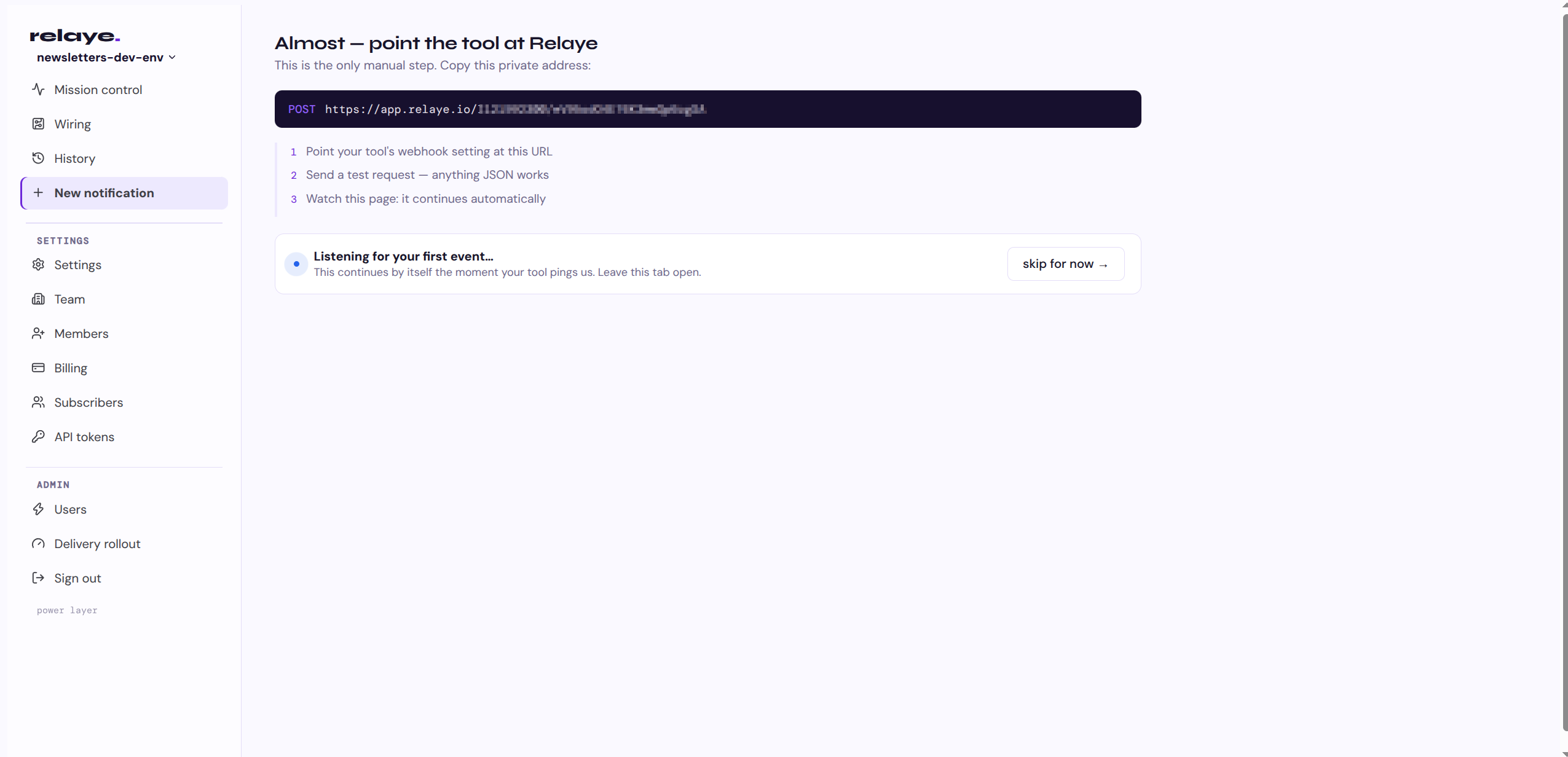
Treat it like a password: anyone holding it can post events, and you can rotate it from Relaye if it ever leaks. The bigger point is what you'll never touch again after today: TrueNAS. New channels, new templates, new rules all happen on the Relaye side.
Copy the URL. Step one done, and honestly the hardest part is picking the name.
2Point TrueNAS at it
Back in TrueNAS: System Settings → Alert Settings → Alert Services → Add.
- Name: relaye
- Type: Slack
- Webhook URL: paste the trigger URL from step 1
- Level: Warning is a sane default; TrueNAS sends everything at that level and above
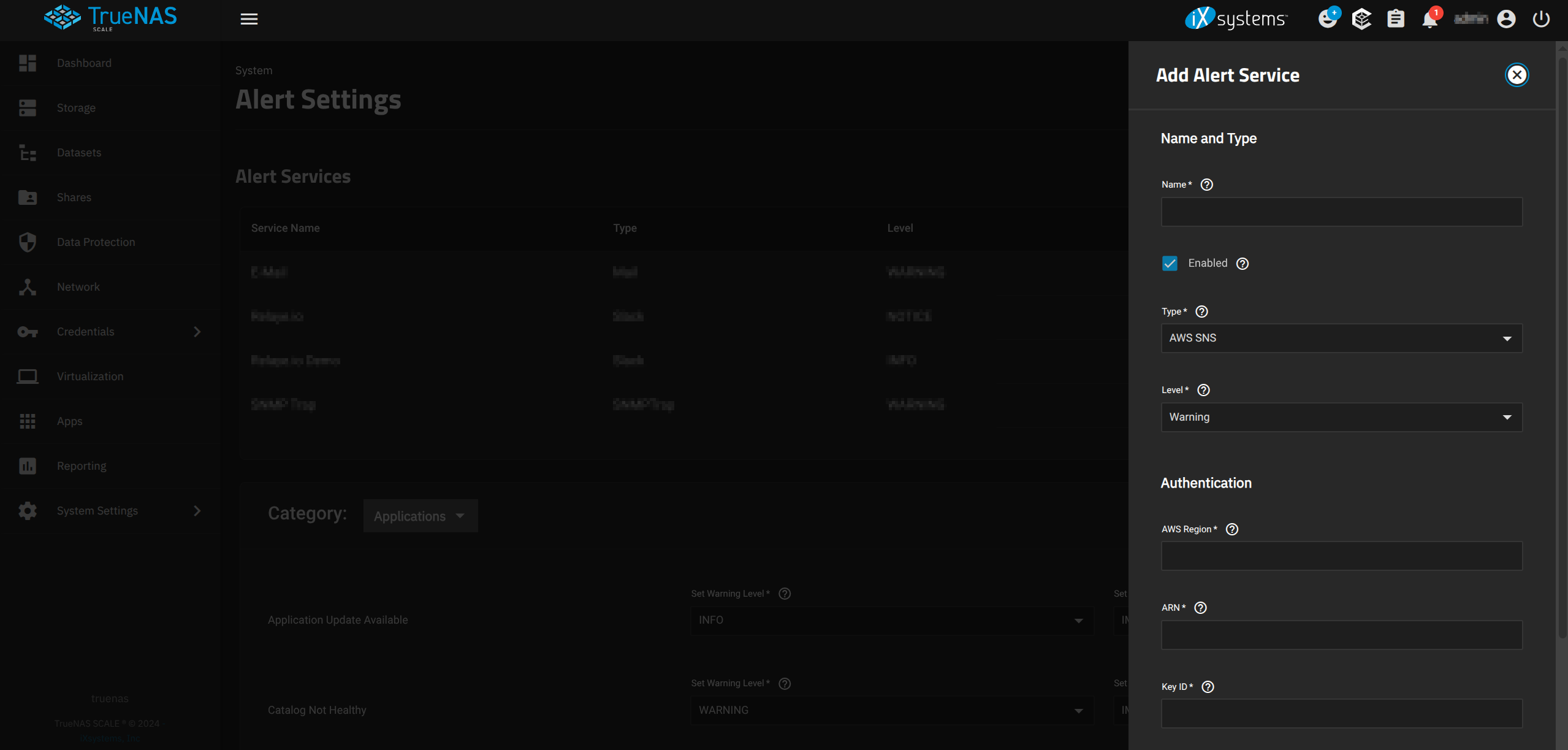
The Slack service type doesn't check that the URL belongs to Slack. It's just a webhook URL field: TrueNAS POSTs the alert as JSON to whatever endpoint you paste in, and Relaye accepts that POST like any other event.
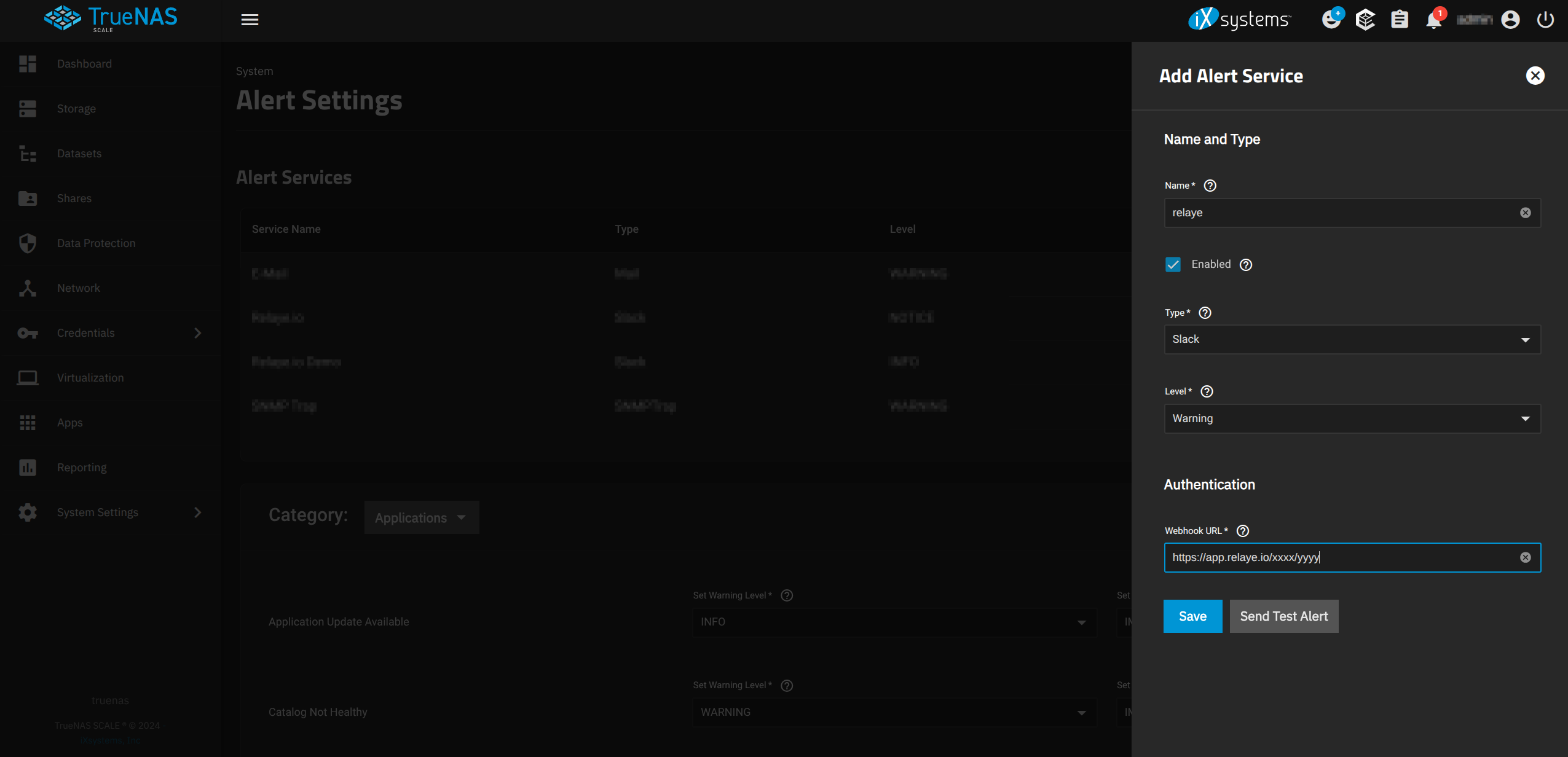
Hit Send Test Alert. TrueNAS fires a test event at your trigger. Nothing lands in your chat yet, and that's expected: the event has arrived in Relaye, but no destination is wired up. Which brings us to step three.
3Add a destination in Relaye
A destination is where alerts land: a Slack channel, a Discord channel, a Telegram chat, an email inbox. You create each destination once, and one trigger can feed all of them.
Head to destinations and add one. For Telegram, use Relaye's bot handshake (no API keys of your own to juggle) or bring your own bot: the token from @BotFather plus the chat id. For Discord, connect your server over OAuth and pick a channel. For email, a verified SES identity. Webhook URL, Worker and Relay destinations cover everything else, from PagerDuty to your own API. Slack connects inline in the next step's wizard.
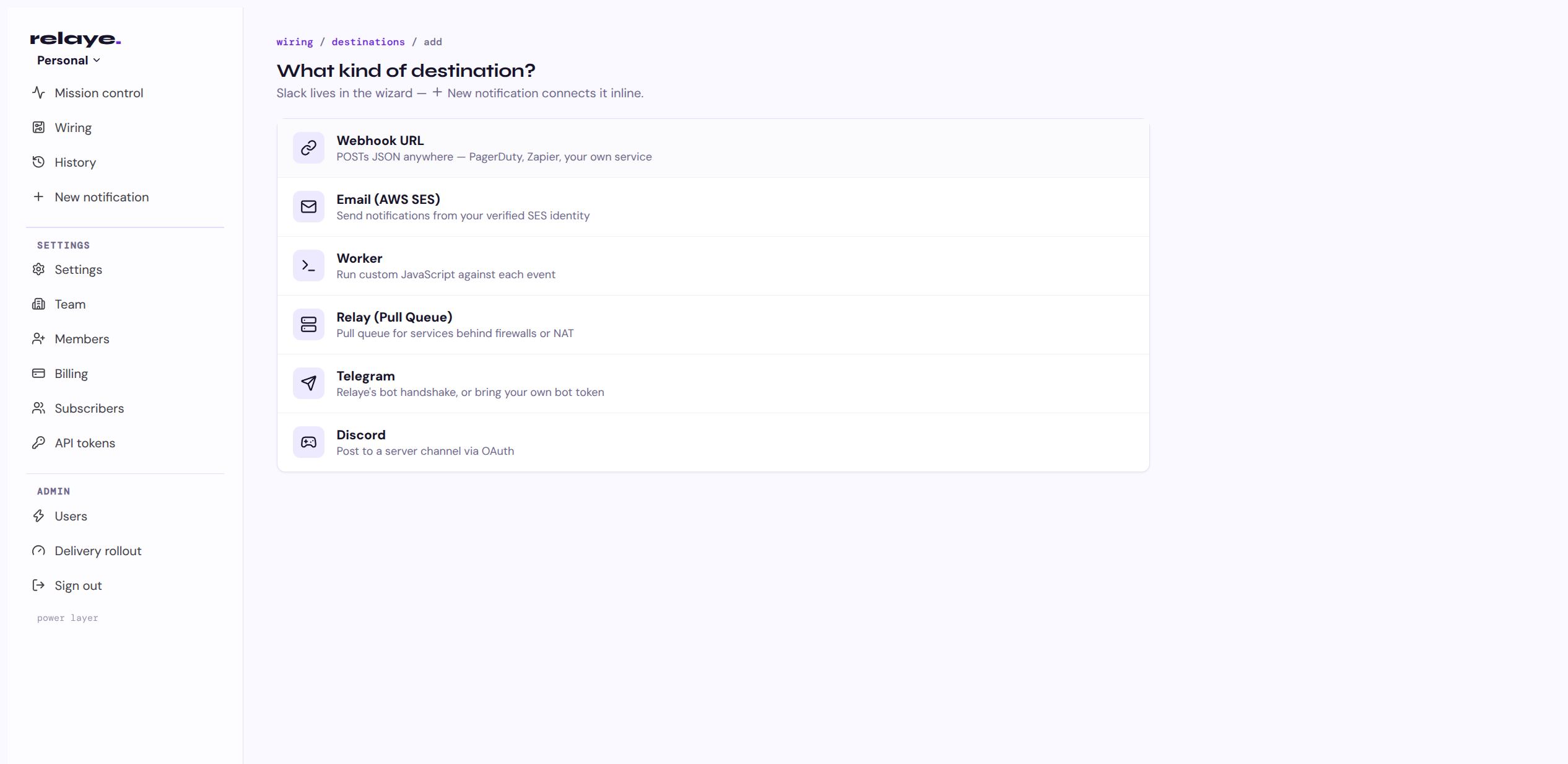
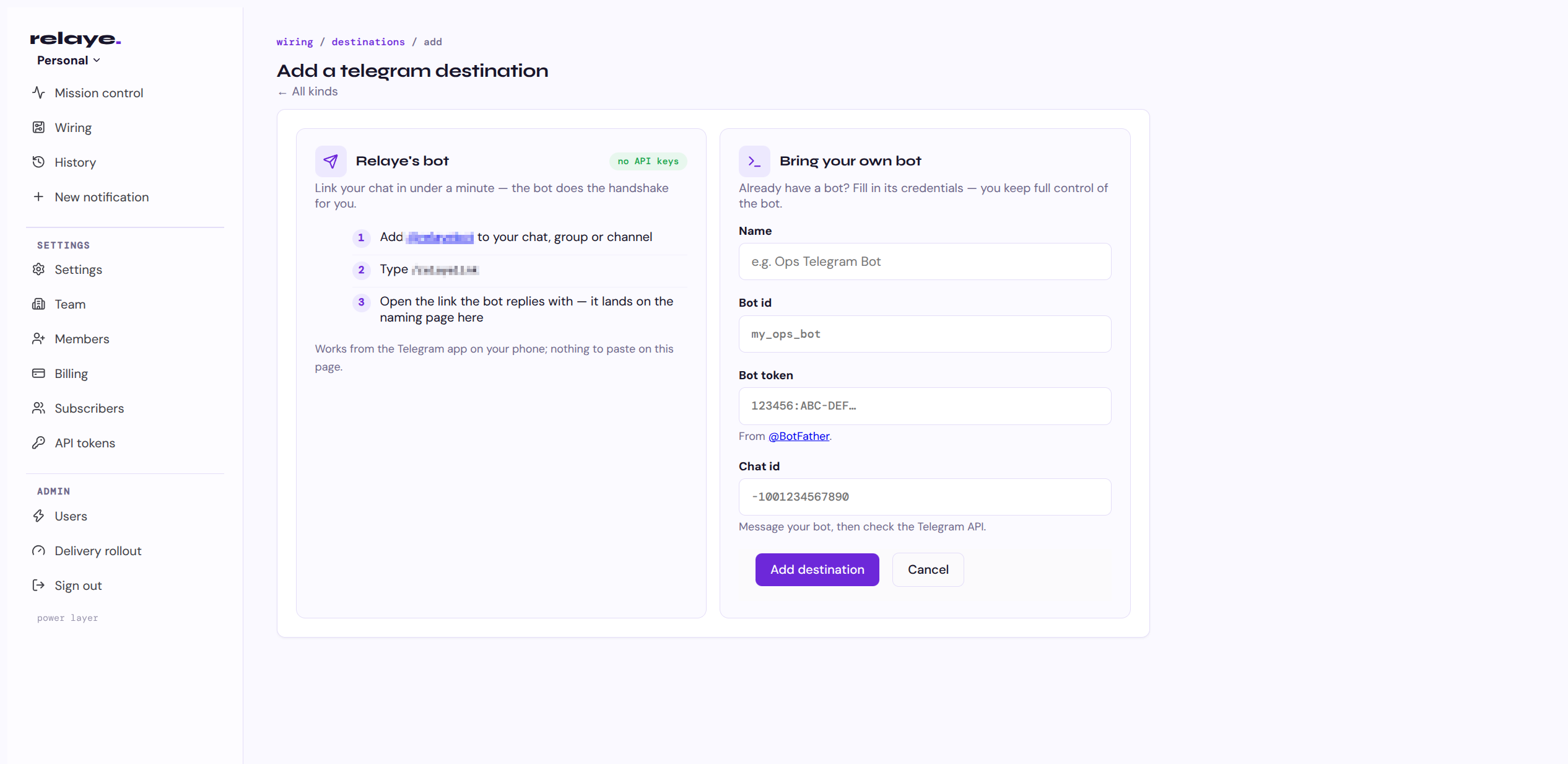
Make just one for now. Adding more later happens on the Relaye side, which means TrueNAS stays untouched.
4Route and template in Relaye
Back in Relaye, hit New notification. The wizard is the whole wire in three picks: a trigger → a destination → what it sends. Your test event from step 2 is right there beside the template, and the preview renders against that real payload as you edit. Slack, if that's where alerts land for you, connects inline in this same wizard.
Relaye's default template expects a message key, and TrueNAS doesn't send one: its payloads carry the body in text. Your first test alert will arrive in Relaye and deliver nowhere, which looks a lot like failure. It isn't. Open the template editor: the last incoming event is rendered right next to a live preview, so you can see exactly what TrueNAS sent, drop in {{ text }} and watch the preview light up.
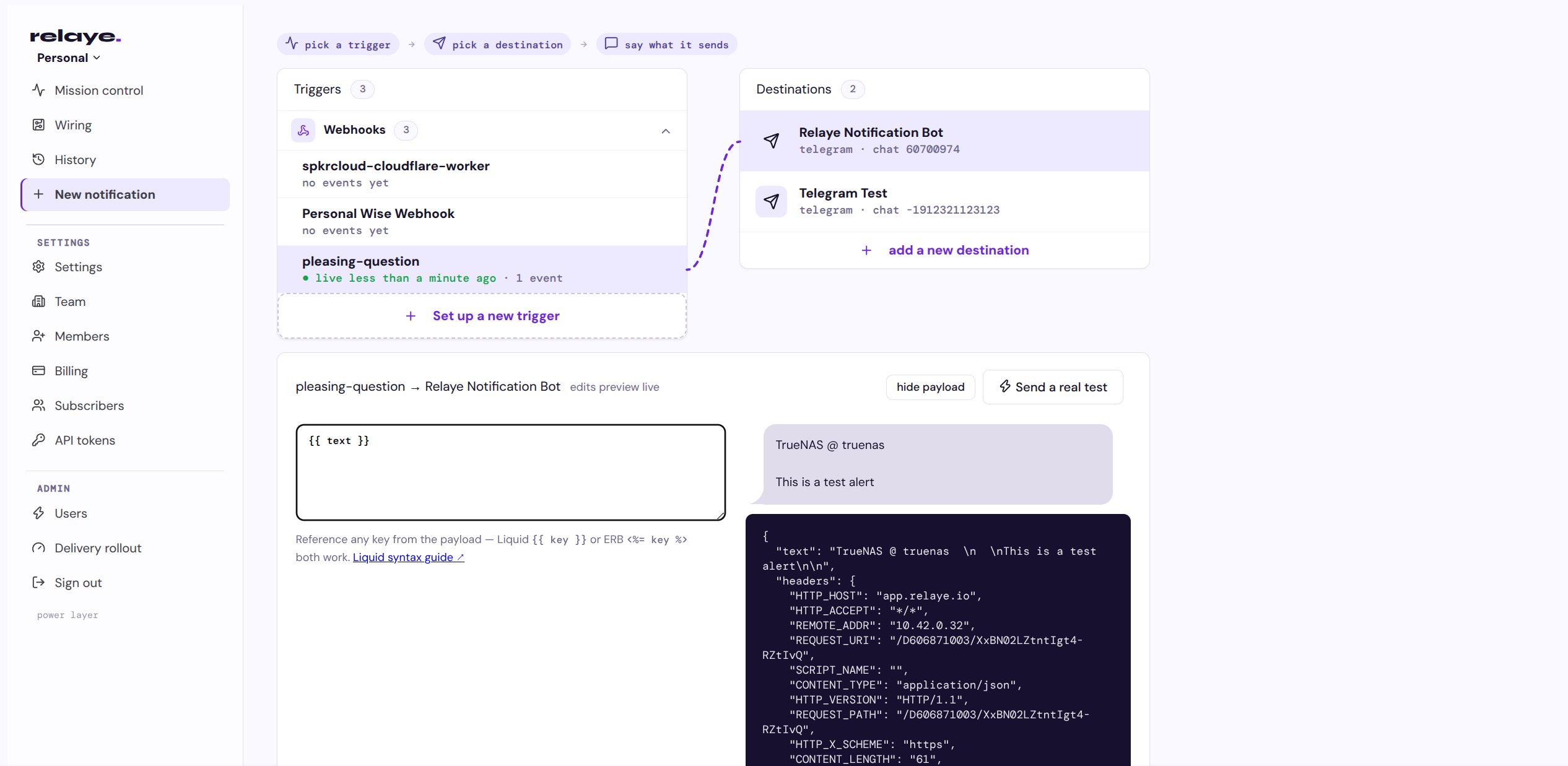
The payoff for that one edit: the same alert can speak differently everywhere. Slack gets the loud version, Discord the chatty one, Telegram a terse one-liner with the disk name. Same webhook, many voices.
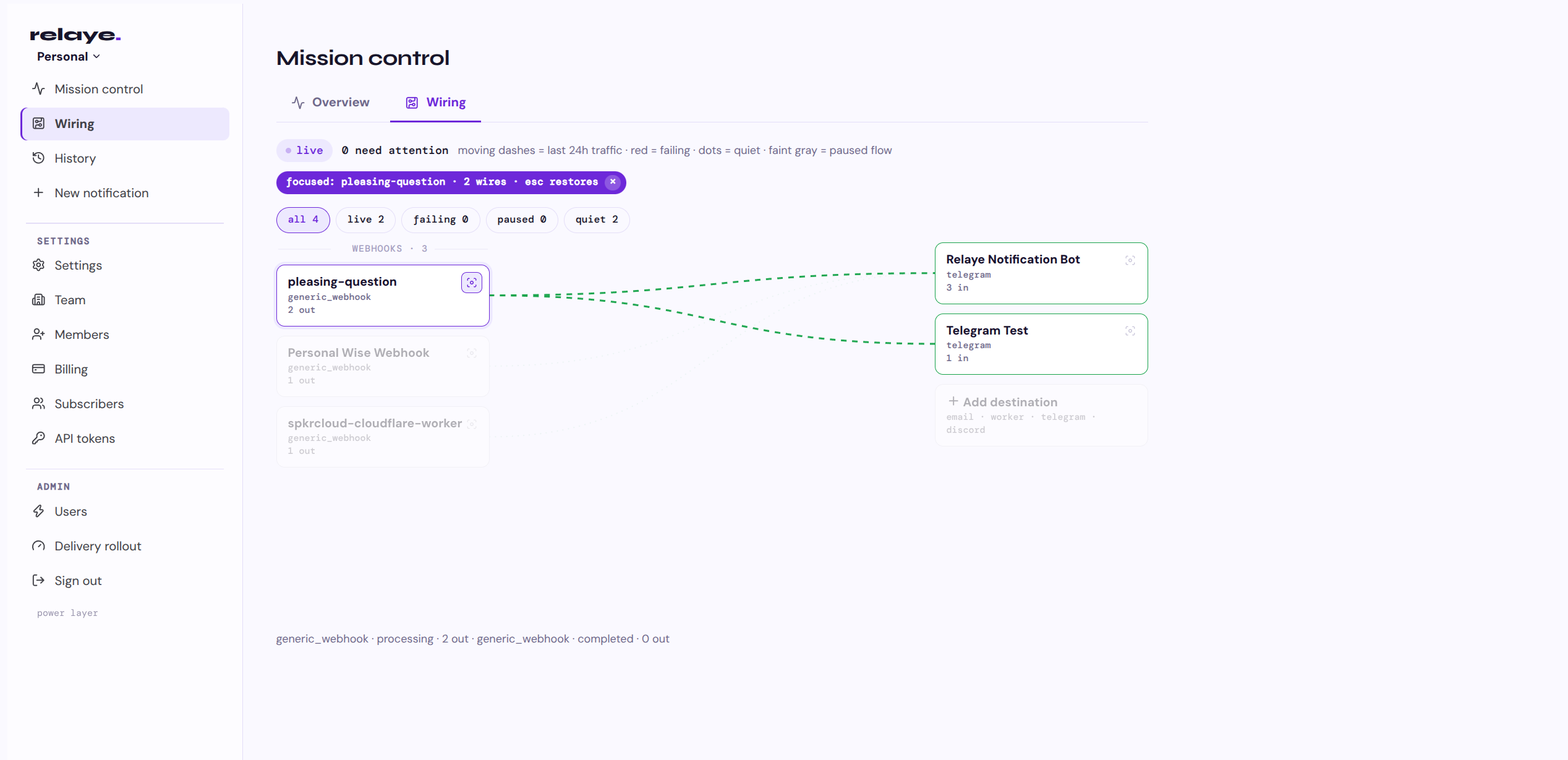
Send another test alert from TrueNAS. This time it fans out: one live wire per destination in the wiring view, each pulse landing ✓ delivered, with timing and status in the log.
What starts arriving
Once the service is live, TrueNAS starts telling you things like:
- ▸Pool status is not healthy (the one that matters most)
- ▸Pool space usage crossed 85, 90 or 95 percent
- ▸A disk self-test failed, or temperatures are climbing
- ▸A cloud sync, replication or rsync task failed
- ▸The UPS switched to battery, or its battery needs replacing
- ▸A certificate is expiring soon
You didn't configure any of these one by one. The alert engine was already watching; you just finally gave it somewhere to go.
Go further
The trigger you pasted into TrueNAS is permanent (until you revoke it). Everything else lives on the Relaye side: add a Discord channel for the family, an email address as a paper trail, pause a chatty destination at 2am, and never open TrueNAS settings again.
And TrueNAS doesn't have to be the only thing talking. Grafana, Uptime Kuma, Restic notifications, CI pipelines: anything that can POST a webhook can become a trigger in the same mission control.